Everything you need. Nothing more.
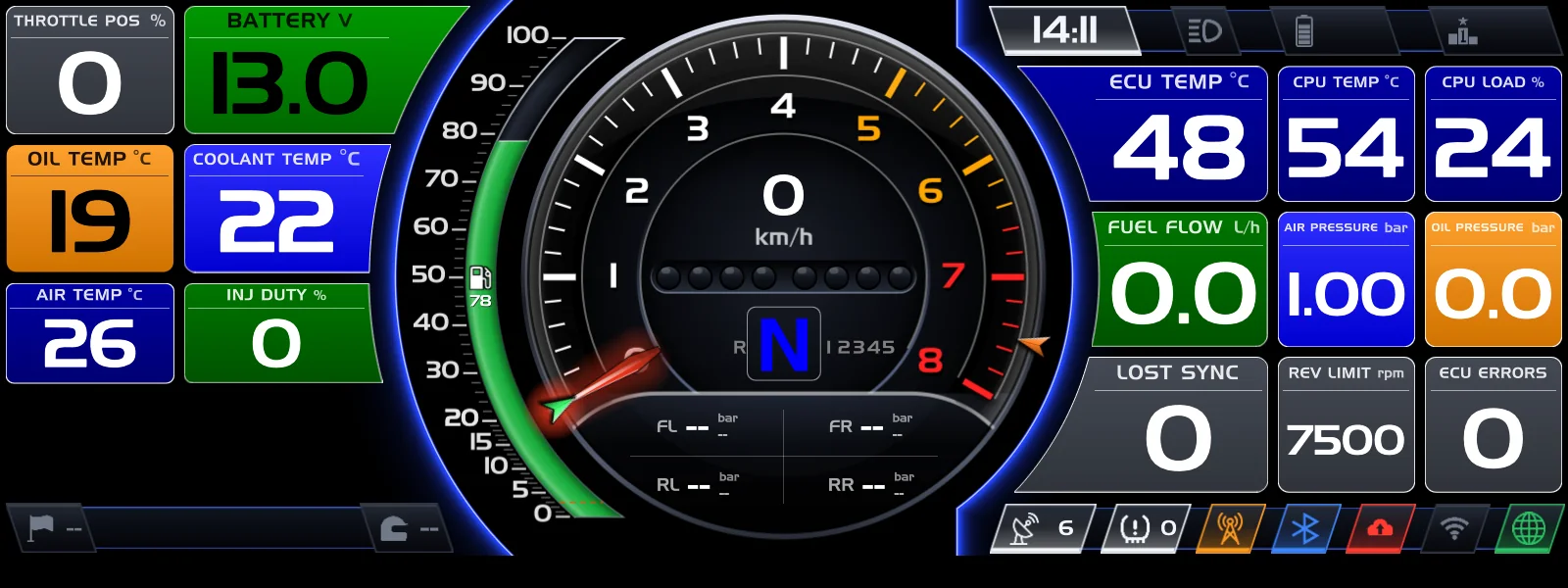
A driver has a tenth of a second to look. The display shows what matters at that moment — and hides everything else.
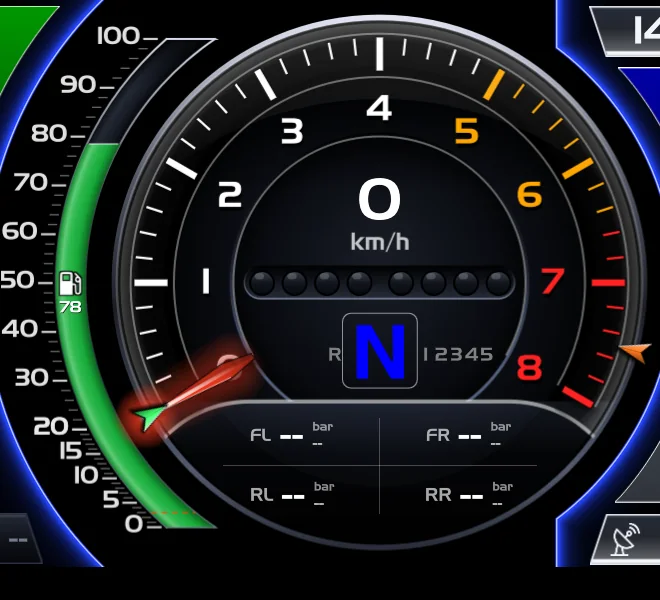
Zoned rev counter
Speed in the centre, big gear, yellow and red zones on your ECU's revs, all four tyre pressures underneath.
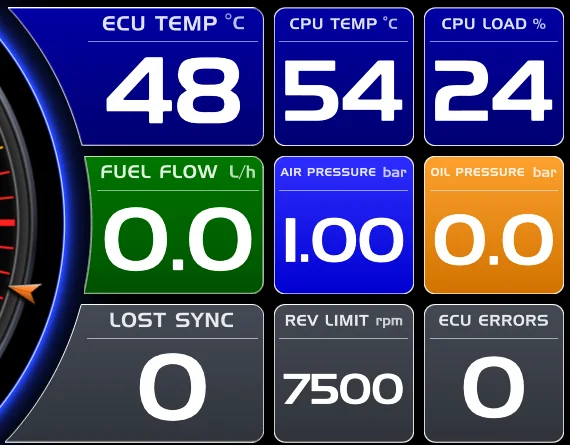
Readable at 250 km/h
Huge numbers and colours of your choice, no frills. You decide what goes in every box.

Status at a glance
GPS satellites, tyres, radio, Bluetooth, cloud, Wi-Fi and internet: each icon lights up in its own colour.
A screen for
every moment
The race page
Rev counter with your ECU's red zone, big gear in the centre, speed. Around it, the data boxes: pick up to 15, each with its own gauge, decimals and colours. Lap time, delta to best, race position and a GPS track map at 10 Hz.
- Shift lights with per-gear thresholds, flashing at the limiter
- Gear and race time can go in any box
- Factory tracks ready to go, and the team's own tracks that override them
Alarms that get noticed
ECU errors enter an alert carousel with icon and description, only when they change: no pointless flashing. Flags declared by timing — yellow, red, safety car — appear on screen and stay for as long as they last.
- ECU error table editable from the configurator
- Alarm sound and spoken announcement on the radio for every new alarm
- Status icons for GPS, CAN, tyre pressure, network
The stint plan, on board
The team writes in the portal who drives and for how long. The display warns the driver a few minutes before the change and shows BOX at the right time. At the change, the new driver's Bluetooth tag brings up their name and applies their style: colours, boxes, thresholds.
- Per-driver style: only their differences, importable and exportable
- Fuel estimate and laps remaining always in view
- Banner with name and photo of whoever is talking on the radio
Rear camera with distance lines
Select reverse and the video takes over the dash with a minimal HUD and distance lines calibrated to the car. You choose how to crop the image. Out of reverse, the dash is back instantly.
- Standard IP camera, no proprietary hardware
- Animated entry, edge vignettes, REAR VIEW badge
The 7" touch second screen
With the optional touch panel, a second window sits next to the dash: pages of data boxes to swipe through, for the engineer in the pits or the co-driver in rallies. Configured like everything else, from the browser.
- Backlight and touch over the same cable
- Works alongside the main HDMI output
It reads the ECU.
And much more.
CAN bus & DBC
Import your ECU's dictionary and edit it like in CANdb++: nodes, messages, signals, bit grid. Signals in use are protected, renames carry their channels along.
Networked ECU
Your MaxxECU reachable remotely over the network: your tuner opens MTune from the pits or the workshop as if plugged in with a cable.
GPS & accelerometer
10 Hz position for laps, delta and map. Accelerations and yaw from the inertial board.
Tyre pressure
RF TPMS sensors read directly by the display, with a status icon and alarm thresholds.
Bluetooth
Driver tags, external GPS devices, display onboarding without cables or keyboards.
Fuel estimator
Injector model as the primary source, sensor only as filtered statistics. Rewritten after ten hours of racing: today it won't leave you stranded.
Configured
from a browser
Every display has its own configuration page: open it from your phone on the pit network, or from home through the Factory. Every save is a revision: go back whenever you want.
- Appearance: data boxes, colours, per-driver style, team logo at boot
- Car: channels, signals, CAN outputs, ECU errors, TPMS
- Network: Ethernet, pit Wi-Fi with multiple networks and automatic fallback
- Diagnostics: service status, logs, connection tests
Under the hood
- Platform
- 64-bit ARM quad-core
- System
- Custom embedded Linux, read-only
- Boot to dash ready
- about 12 s
- Video outputs
- HDMI · optional 7" touch panel
- Vehicle bus
- CAN with DBC dictionary
- Positioning
- 10 Hz GPS · inertial platform
- Wireless
- Wi-Fi · Bluetooth LE · TPMS 433 MHz
- Network
- Ethernet to on-board router and camera
- Video
- RTSP H.264 IP camera
- Updates
- Signed OTA, dual A/B partition
- Configuration
- Web-based, with revisions and Factory backups
- Works offline
- Yes: nothing on track depends on internet
Bring us your ECU's DBC.
We prepare channels, alarms and layout before installation: the display arrives already loaded with your data.